
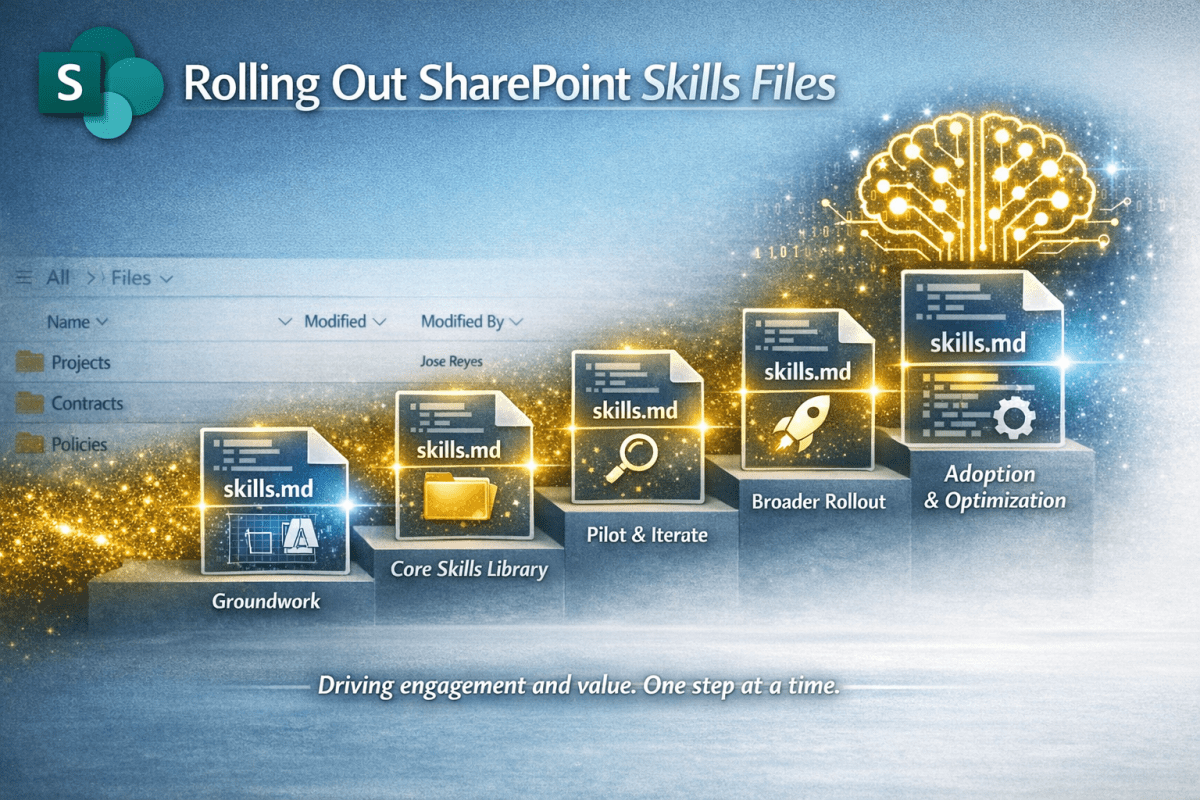
A Practical Plan for Real Organisations
Skills Files are one of those features that reward a measured, structured rollout. They’re technically simple to create, but the impact they have depends entirely on the clarity of your information architecture, your business culture and style, and the discipline of your teams.
This plan focuses on building a sustainable foundation rather than rushing to “get something in place”. The aim is to help organisations introduce Skills Files, once Microsoft releases the feature in SharePoint, in a way that improves consistency, strengthens knowledge management, and avoids the usual pitfalls of AI adoption.
Prerequisites
You must have Microsoft 365 Copilot licences. Skills Files are part of AI in SharePoint, which sits under the Copilot licence, so no Copilot licence = no Skills consumption.
As such you also need to have AI in SharePoint available and enabled. It’s currently in preview, not GA.
Phase 1: Establish the Groundwork
Confirm ownership
Skills Files sit at the intersection of knowledge management (KM), digital workplace governance and business operations. Plus, culture of course… Someone needs to own them.
A sensible model is:
- KM / Digital Workplace leads → global standards
- Department leads → functional norms
- Library owners → local behaviours
As so often, these folk should form a steering group for establishing the Skills Files and the associated process and governance. Done right, this avoids central bottlenecks or dispersed chaos, keeping the overall structure coherent.
Audit your information architecture
Skills Files are inclined to amplify whatever structure you already have. If your libraries are inconsistent, AI may be better at navigating inconsistency or may just lead to you chasing your tails. Remember GIGA
Garbage in, garbage amplified
Focus on the high value sites and libraries where process work is being done. You don’t need to worry about all those dumping ground, ex-file-server libraries that someone really ought to sort out sometime. You do need to enhance the libraries used to create campaigns, proposals, contracts, project libraries and the other things that hurt when they are badly imperfect. Look for sites and libraries where the volume of documents is high, the work is repeatable, the rules are well understood, and the pain of inconsistency is obvious. Create a list of these high value asset areas and then critically review:
- library purpose
- metadata fields
- naming conventions
- folder structures
- template usage
- retention and sensitivity
- Practical workflows (even if these are purely manual)
Phase 2: Build the Core Skills Library
Using the starter kit published here start creating your Skills Files
- Create the global Skills Files
- These set the tone for everything else. They should be written centrally (probably by the KM/Digital Workplace lead) and apply everywhere. Keep them short and unambiguous. The suggested set:
- naming.md
- metadata.md
- tone.md
- governance.md
- These set the tone for everything else. They should be written centrally (probably by the KM/Digital Workplace lead) and apply everywhere. Keep them short and unambiguous. The suggested set:
- Develop departmental Skills Files
- Work with each function to capture how they work in practice, especially any processes they adhere to, their tone of voice and structures. Make sure you reflect reality, not the idealised version of it; We aren’t doing a process re-engineering project. Define
- document structures
- approval patterns
- terminology
- templates
- classification rules
- Work with each function to capture how they work in practice, especially any processes they adhere to, their tone of voice and structures. Make sure you reflect reality, not the idealised version of it; We aren’t doing a process re-engineering project. Define
- Produce local Skills Files for priority libraries
- These are the content specific rules and nuances. For example:
- “When a contract is uploaded, classify it by type and apply the correct metadata.”
- “When meeting notes are added, summarise them and extract actions.”
- “When a project starts, generate the standard folder structure.”
- These are the content specific rules and nuances. For example:
Phase 3: Pilot and Iterate
1 Run a controlled pilot
Choose one or two departments with clear processes, engaged stakeholders and a willingness to experiment. Introduce Skills Files gradually and observe how Copilot behaves.
2 Gather feedback and refine
Focus on the following, tweaking the Skills Files as shown next and observing the effects. Skills Files improve through iteration, so don’t expect not perfection on day one.
- where the AI followed the rules
- where it ignored them
- where the rules were unclear
- where the rules were too rigid
- where the rules were missing
Expect to adjust wording, examples, constraints, structure, scope. Small changes often have big effects. Remember that AI don’t produce the same results each time; there will be some variability.
Iterate again.
Phase 4: Broader Rollout
4.1 Publish a Skills File library
To get people on board, give them access to a Skills enabled library and make it easy for teams to browse existing Skills Files and understand their purpose. Encourage them to request changes and propose new ones.
4.2 Train teams to write their own Skills Files
Teach teams how Skills Files work, how to write clear instructions, using examples effectively and avoiding ambiguity. Encourage the to escalate to central governance when needed. Remember that the goal is empowerment, not centralisation.
4.3 Introduce a lightweight approval workflow
Some oversight is appropriate. A simple model might be:
- Local owners draft
- Department leads review
- KM / Digital Workplace approve global alignment
The Steering board is there for higher impact approvals, who should probably take a look at all the Skills that have been enabled that period.
Phase 5: Sustain and Evolve
5.1 Review quarterly
Skills Files are living documents. They should evolve as processes change, templates update, regulations shift, teams reorganise. A quarterly review is enough to keep them healthy.
5.2 Monitor usage and behaviour
Look for where Copilot is adding value and where it’s making mistakes. Also check if rules are being ignored or new patterns are emerging.
A final thought
Rolling out Skills Files isn’t a technical project. It’s a knowledge management project. It’s about making explicit all the implicit and tacit knowledge about how the organisation really works, and using the Skills Files to give AI the same grounding that experienced employees take for granted.

 Novia Works Ltd
One reply on “Rolling Out SharePoint Skills Files”
[…] I suggest creating a folder in a couple of well-structured libraries; ones that have clear purpose already. Then grab the formats above, create the initial .md files based on that and try populating them. It will get easier as you go along. Once the. SharePoint feature is released you can test and tweak. And share what you learned. In fact, even better, read the short adoption article here […]