

This morning a client asked my opinion on a backup solution for their M365 platform.
The results have been… interesting.
This is a question I have pondered often over the years and has been a subject of some discussion within the M365 North user group.
As modern infrastructure isn’t my area of expertise (though I am helping with the Modern Infrastructure Competency for Maturity Model for Microsoft 365), I though I’d use my new, godlike powers 🙄 as an MVP to ask the community. Twitter is handy like that.
The results have been… interesting.
The backup legacy
In the old days of tin and wires the received wisdom was that backup was essential. It was easy to lose whole farms when Bad Things happened. It was easy for users (staff and especially executives) to lose important files when someone (usually them) did Unexpected Things.
Backup wasn’t a nice to have, it was The Law. Rightly so. It formed part of a disaster recovery plan that was all too frequently needed. External compliance and internal governance obligations pretty much required a backup solution. For organisations with a couple of terabytes of stuff those backup solutions came in at a significant cost, the cost of the tool, the substantial cost of storage hardware and the cost of people to manage it, test it and use it when the aforementioned Bad Things happened.
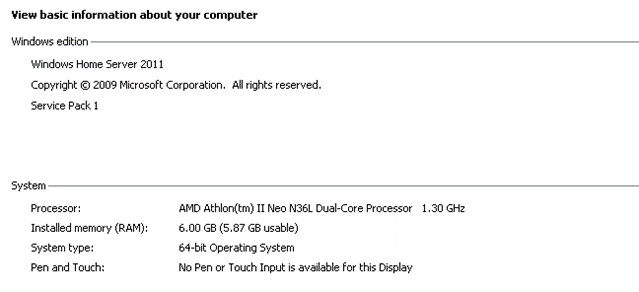
It was inconceivable that you didn’t have backup. Smart people had backup on their personal machines /networks as well (I still have my trusty Windows Home Server 2011, though it now longer trawls my network for devices to protect)
Cloud thinking
With the advent of sophisticated and mature cloud platforms (Microsoft in my world, but other fine products are allegedly available) there are tools built in that address on some of the risks previously handled via a backup solution.
- Deleted files are retained in a user accessible Recycle Bin for 30 days and a second stage Site Collection Recycle Bin provides another 60 days (assuming the defaults haven’t been changed).
- Versioning and version history offer recovery of unintended changes (but not deletions) to files.
- Data Loss protection can guard against some malicious activity.
- Retention policies can prevent inadvertent deletion of documents that need to be retained for compliance and business purposes (and can also force delete tings that should not be retained).
- What is true for documents is generally true for email, chat and most (but not all) other forms of content.
There are other risks:
- Microsoft 365 default retention periods may not be sufficient.
- It’s possible a disgruntled administrator or phishing-based hacker could delete data after disabling the protections in Microsoft 365.
- Although hardened against attack, data could become encrypted by new forms of ransomware on your desktops and be propagated to online content.
- Microsoft 365 doesn’t provide comprehensive protection; some things are difficult or impossible to restore. However many 3rd party tools are equally not-comprehensive. Providing coverage for Planner, Power BI, Power Apps, Stream video (better now it’s in SharePoint), or Yammer messages remains a common weakness, usually because Microsoft hasn’t developed the APIs for it.
- It can be difficult to use the Microsoft tools to do rapid recovery. It’s bitty, complex and often quite technical (i.e. requires PowerShell expertise). Smaller organisations often lack that expertise (though I advocate using a managed services company that does)
Also note that the amount of data can be huge! In the old days we worried about backing up 5-10TB NAS solutions in full blown corporations. Now, with every user potentially having 1TB of personal storage plus 10GB allocated in SharePoint/Teams, a modest 100 person SME could realistically need to handle over 10 TB of files and another 1TB of email and up to 111TB per backup (compression and differential backup will help quite a bit); with 3rd party backup paying by the GB (at around $10c or 8p/GB per month) the costs can look scary. The number of hours to complete each backup look worrying too.
So, what’s the answer?
As the inestimable Luise Freese has taught me to say, “It depends”.
“It depends”
The Twitter conversation bears this out. There are many fine products suggested, with AvePoint, Veeam, Synology, Skykick, DropSuite, Acronis, Commvault, Veritas all receiving mentions. While many organisations have deployed one of these, it’s by no means a clear case for everyone having to do so.
As Erica Toelle says, “The need depends on your risk profile. The tool depends on the size of your environment. Evaluate them based on restore, not backup. That’s where the solutions are different.”
Phil Worrell advises “it is pretty essential if you have business critical data in there. Retention policies only go so far.” And “We got it flagged as an audit point several years ago.”
Jamie McAllister reinforces Erica’s point “It depends on the risk appetite for the business. It shouldn’t be needed but management likes to get a good night’s sleep.”
My old sparring partner, Chris Hill, sagely offered, “Only thing that matters is TEST disaster recovery plan properly. You will discover what doesn’t work and what wrong assumptions were made. Hire what you need to test. It is hard to do, expensive, time consuming but could save your business.”
Ian Moran observed, “I don’t believe my client has ever had to restore a single item or site in the year or so that the solution has been in place.”
The Community has spoken
In order to put the debate to bed I created a completely unbiased and carefully worded poll and invited the community to vote. The results speak for themselves:
Last thoughts
From where I sit, as an MVP, owner of a medical technology business, and someone who has all their important personal stuff stored in the cloud, it’s a judgement call. If you and your organisation have the skills to select and manage a 3rd party backup solution, properly understand where the business critical (business continuity and disaster recovery) ‘hotspots’ are in your business data and processes and have the financial depth to invest in a backup tool (and its management overhead) in the long term then you probably should. If any of those things are a problem for you then I lean towards keeping it simple, investing your effort in setting up things like a decent information architecture/file structure, versioning, retention and training your staff to not do Unexpected Things. The Microsoft 365 platform is, out of the box, better at protecting you against Bad Things better than a server in the office or even a well run server farm ever did.
Acknowledgements
I leaned heavily on:
The brilliant Microsoft community, who picked up the debate and offered their insights.
Steve Goodman’s articles:
Tony Redmond’s (apposite name that) more recent article:


