Could the pandemic and online living be easing out gender and racial bias, unconscious prejudices and unacceptable behaviours in favour of more egalitarian interactions.

 Novia Works Ltd
Could the pandemic and online living be easing out gender and racial bias, unconscious prejudices and unacceptable behaviours in favour of more egalitarian interactions.

Teams is great for focus. Teams is bad for multitasking. Get the best of both worlds with this not-too-techie tip

How to alleviate the annoyance of the App-launch pop up confirmation in the new Edge chromium

There is a lot going on in the digital work place, driven by new technologies, by evolving work patterns, by external challenges (notably climate change and COVID-19) and a realisation that what seemed to work before may not work for us future (if it ever really did).

In part 3 I presented an alternative view of the role of SPC for healthcare. In this final part, we will look using SPC in Microsoft Excel and Power BI and conclude with whether SPC does have a place in Health. Creating and Presenting SPC Charts Whichever way the debate goes, SPC needs to be […]

Navigation within Teams is a problem. Most hyperlinks from a Teams tab to another part of Teams don’t work. This Tips article helps solve the problem

Insights into using the SharePoint Site Swap function, and potential pitfalls

A while ago I wrote a (carefully considered) rant about the evil that is the Folder. I dislike folders so much that I wrote a song about them (well, part of a song, but in this I am definitely allowed artistic license.) Yet I am clearly on record as a bit of a Microsoft Teams […]
This blog considers Check In/Check Out and why it should almost never be used.

Don’t be fooled by the marketing, demonstrators or “so simple your Mum could do it” claims some would have you believe; in the real world things are more complex and production quality Flows and business solutions need to be developed for that real world.
In addition to uncovering these themes, my latest blog sites does really cool things using machine learning via Azure Cognitive Services, Microsoft Flow and SharePoint to automatically tag images. It’s written so that a new Flow user should be able to reproduce it themselves.

It would be fair to say that I have become something of a Teams convert. Maybe even an evangelist. With that in mind, here is a round up of what I consider to be some good and best practice for use with Microsoft Teams. Teams is so new that new features are emerging all the […]
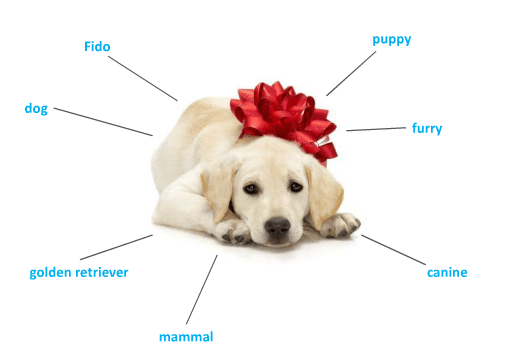
A gentle reminder about metadata It’s important that ‘information workers’ understand what metadata (often called ‘tags’) is and the need for capturing appropriate metadata for your documents and information items. Not adding metadata is initially quicker, but everything you do with the document later is slower and the chance of making a mistake is greater. […]
 Novia Works Ltd